Browse familiar names and dates
Move beyond lists of audio filenames. Recognized original names help place your calls under the right caller and call date.
Check filename recognitionImportant details, promises, and agreements often happen over the phone. Keep your saved recordings organized by contact and date, then search transcribed conversations for the details you need—even years later.
Managed hosting is launching soon.
Free to self-host today.
 My call archive
By contact
Maya November 8, 2026
Delivery is booked for Friday at 10 am. Leave the boxes by the front door.
“Friday at ten works. I’ll be there to let them in.”
A delivery detail. A commitment you want to remember. A conversation from months ago. Keep the recordings useful after they leave your phone.
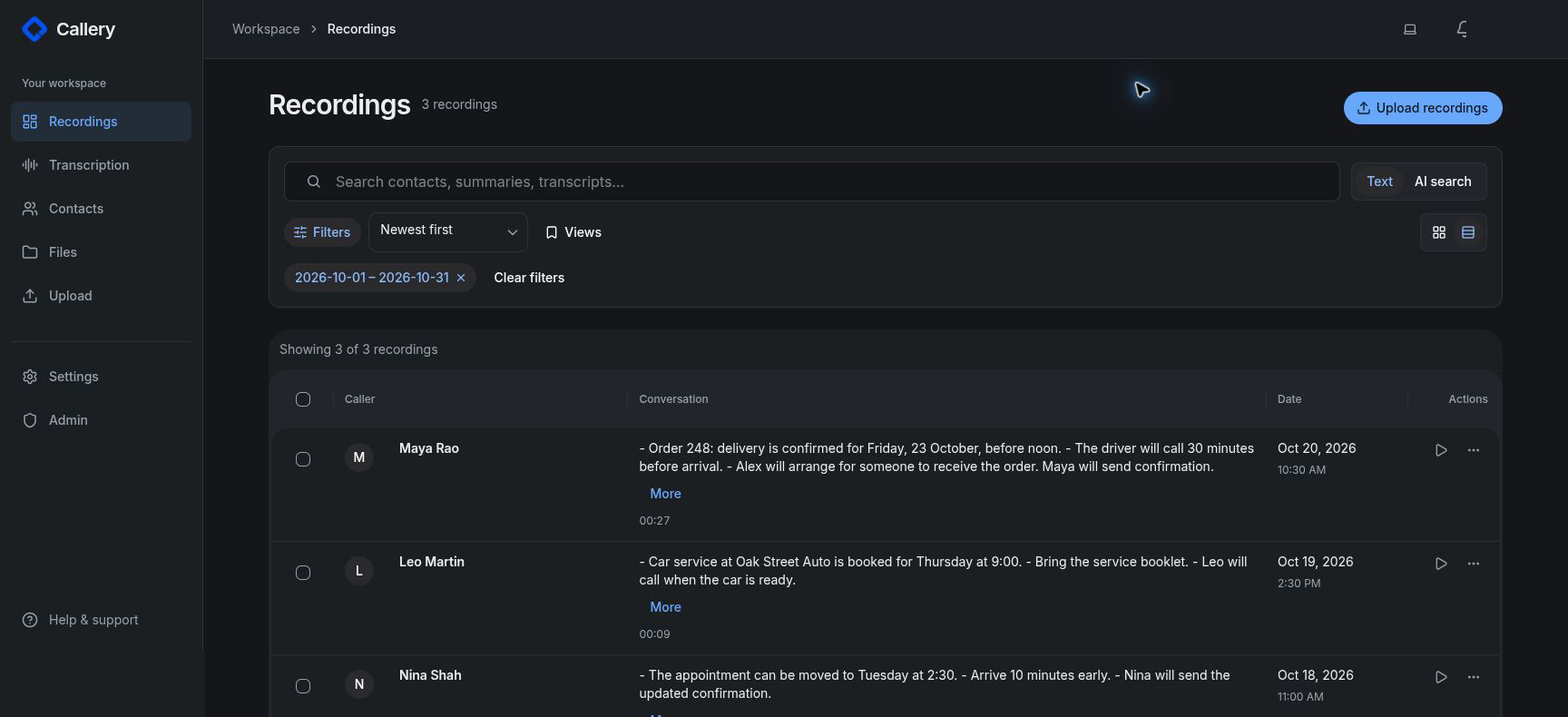
Move beyond lists of audio filenames. Recognized original names help place your calls under the right caller and call date.
Check filename recognitionTurn recorded conversations into searchable text. Search for words or, with AI search configured, describe what you talked about.
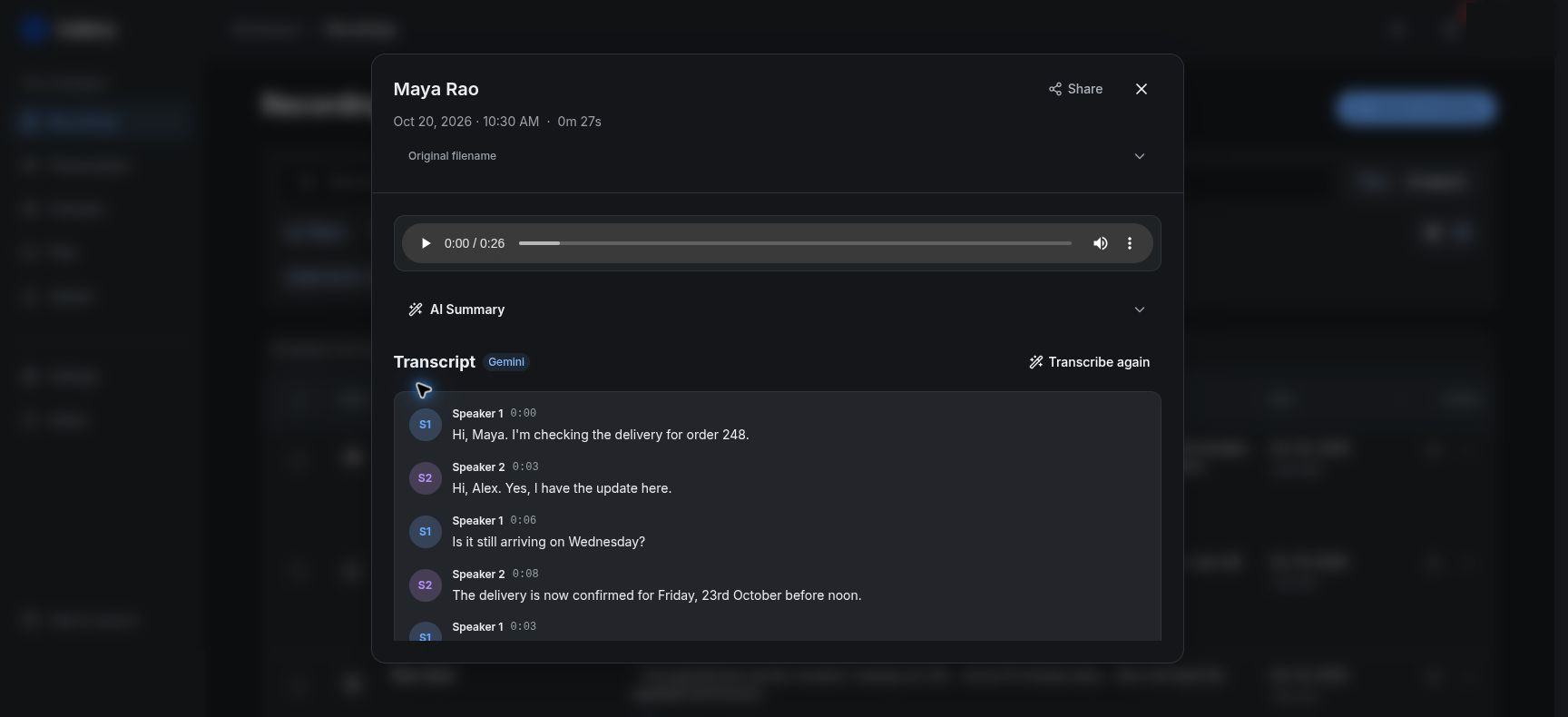
See how recording search worksRead a transcript or summary, then listen to the original when the details matter. Timed transcripts can take you back to a passage.
Explore the recording workspaceActual app screens show the upload, browsing, and playback journey. The recordings and people in these examples are fictional.
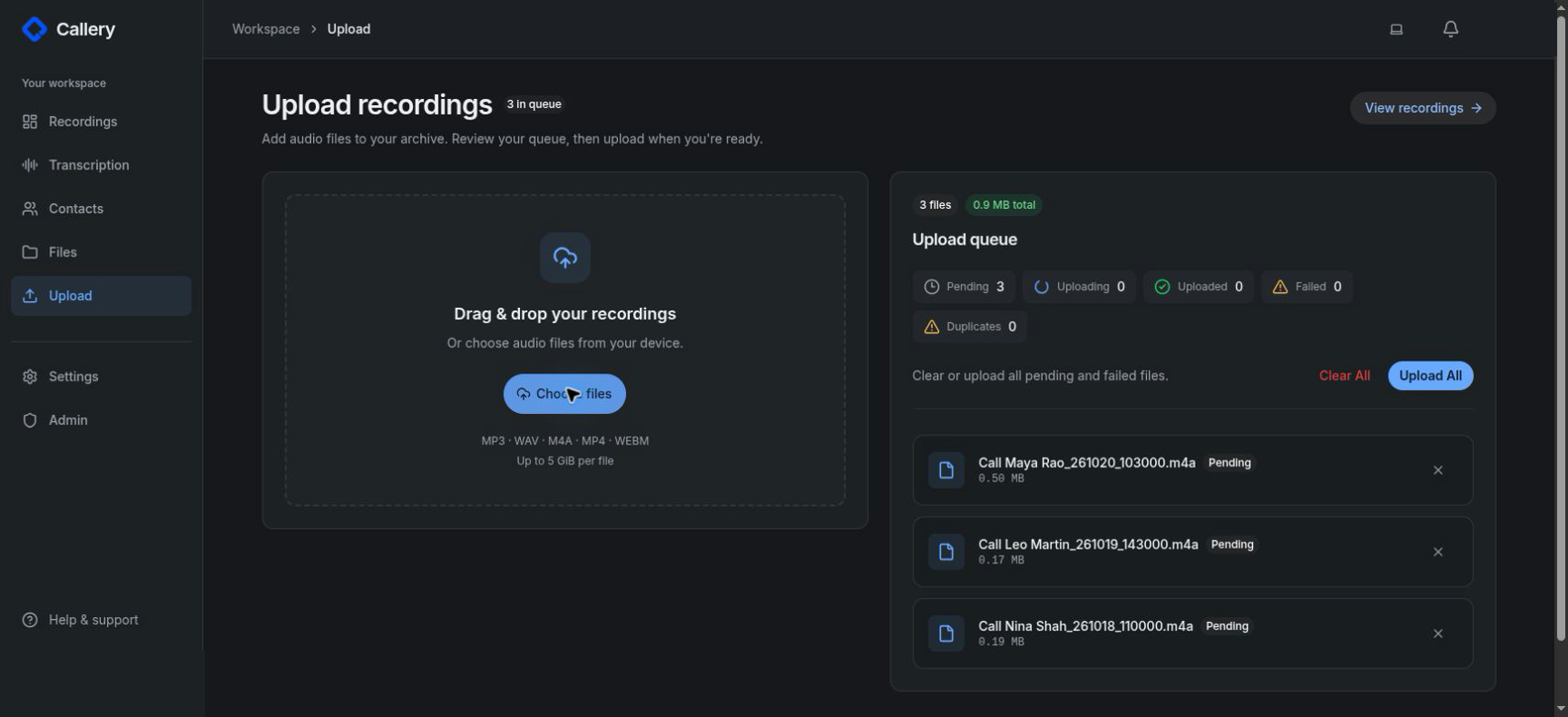
Start with originals you can access. Keep their names intact so Callery can recognize the caller and date.
Find the recording folder in your phone’s file manager. Copy files together without renaming them, and keep a separate backup.
Find your phone’s guideOpen your Callery instance in a browser and select or drop a few copied files. Check playback, caller matching, and the original call date before adding the rest.
Automatic metadata needs recognized filenames.Add transcripts to the calls you want to search. Open a matching conversation, read the transcript, and return to the audio.
Explore text and discussion searchCallery organizes recordings you already have; it does not record calls or automatically sync a phone folder. Transcription is optional for browsing and listening. Google Phone’s individual Share action is not the supported bulk archive workflow; some phones can use an OEM dialer after setup.
I built Callery because important work details and commitments happened on calls and never made it into an email. I kept the recordings because I might need them later.
After changing phones and moving years of audio to my computer or Google Drive, finding one conversation meant digging through filenames. Callery began as a way to organize those recordings. Transcripts and search made it easier to return to what was said.
Organize recordings after changing phonesCallery stores uploaded recordings in the instance you use. Transcription and AI features send audio or text to the processing services configured for that instance.
You can self-host with your own database, storage, and processing services, including compatible local AI services. Managed hosting is launching soon.
Understand self-hosting and processingDownload an organized export, and keep independent backups of the original files.
Samsung and other phones can provide usable original files. Some need their OEM dialer enabled first. Match the guide to your actual model and software, then verify a small import.
More questions?
Find help and guides.
Callery organizes existing recordings. Use a compatible dialer that saves original files in accessible storage, then copy those files into Callery without changing their names. Uploads are manual today.
You need original recordings visible in your phone’s file manager, so you can copy them in bulk with filenames intact. Samsung Phone commonly saves them in Internal storage → Recordings → Call. Other phones may work with their OEM dialer, sometimes after device-specific setup. Callery accepts MP3, WAV, M4A, MP4, and WebM; automatic caller and date recognition also requires a recognized filename.
Google Phone’s individual Share workflow is unsupported for the bulk archive. Your phone may have an OEM dialer setup option; check the guide for your exact model and firmware. A dialer change does not migrate existing Google Phone recordings. Callery cannot retrieve private dialer files or reconstruct caller details missing from filenames.
No. You can organize and listen without transcription. Add transcripts when you want to search what was said. Search by discussion needs a configured AI search service and indexed transcripts; timestamped playback depends on the transcript’s timing.
Yes. Callery runs in a browser on Windows, Mac, Linux, or your phone. There is no native desktop installer to download.
Yes. Export original audio, available transcripts, and metadata, with a browser viewer for the downloaded archive. Keep an independent backup of your original recordings.
Managed Callery is launching soon. You can watch the demo, check your phone’s compatibility, or self-host the open-source app today. We are not collecting waitlist emails yet.
Managed Callery is launching soon. Explore the demo or run your own archive today.